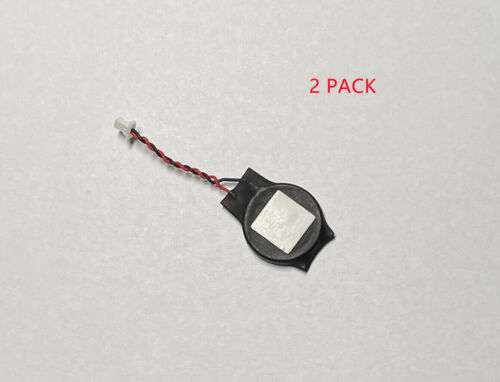
2X CMOS RTC Battery for HP EliteBook 840-G1 840-G2 840-G3 840-G4 840-G5 2 WIRE
Product Features: – CMOS RTC battery is a small, coin-shaped battery that powers the real-time clock (RTC) chip on your computer’s motherboard. – The RTC chip keeps track of the time and date, even when your computer is turned off. – A dead or dying CMOS RTC battery can cause your computer to lose track of the time and date, which can lead to a number of problems, including: — Your computer may not be able to boot up properly. — Your computer may display the wrong time and date. — Your computer may not be able to connect to the internet. – Replacing a CMOS RTC battery is a relatively simple and inexpensive procedure. – Most computer stores sell CMOS RTC batteries for a few dollars. – To replace the CMOS RTC battery, simply follow these steps: — Turn off your computer and unplug it from the power outlet. — Open the case of your computer. — Locate the CMOS RTC battery. It is usually a small, coin-shaped battery that is located near the RTC chip. — Remove the old CMOS RTC battery and insert the new one. — Close the case of your computer and plug it back into the power outlet. — Turn on your computer and check the time and date. It should now be correct. Benefits: – Replacing a dead or dying CMOS RTC battery can fix a number of problems that can occur on your computer. – CMOS RTC batteries are relatively inexpensive and easy to replace. – Replacing a CMOS RTC battery is a quick and easy procedure that can be done in a few minutes. Keywords: – CMOS RTC battery – Real-time clock (RTC) – Computer motherboard – Time and date – Boot up – Internet connection Additional Features: – This CMOS RTC battery is compatible with the following HP EliteBook models: — 840-G1 — 840-G2 — 840-G3 — 840-G4 — 840-G5 – This CMOS RTC battery is made from high-quality materials and is built to last.
Related products
Uncategorized
0.35X-2X Auxiliary Lens for Phone Camera: Macro, Wide-Angle & Dustproof Mirror Options



Uncategorized